New Project Routine

I have a sort of muscle memory for starting little web projects now. I seem to have landed on node/express SSR apps with HTMX sprinkles. So it goes a bit like this:
- Create a working directory - all lower case with a simple, but unlikely to be duplicated by me, name.
- Open the directory in vscode
npm initin the directory to create thepackage.json- create a
publicsub directory, and drophtmx.min.jsin there, and create astyles.cssthere. I’m always conflicted about what to do about this htmx dependency. I’d rather host it rather than use their CDN because reasons. But I also feel bad about committing it on Github. I could .gitignore it, but then when I clone the project on the production server I’d need to add another step to download it. HTMX is only 44K, and Microsoft can afford the bandwidth, so for the moment I commit them, but I need a better solution for the future. - using the git tools in vscode, add
.DS_Storeto.gitignore(which also creates it), then edit it to also ignorenode_modules npm install expressnpm install ejs- create a server.js, and add the hello world code
- create a
readme.md - commit these files as “initial”
- Create the repo on github with the same name - no readme and no licence. I do it this way for a couple of reasons - I want to find out at this point if I’ve already used this repo name, and I want it to give me the cut and paste commands to push the repository.

- Do those in the terminal.
- Refresh the github page, and add the licence by
Add File, name it LICENSE - this lets you choose the template you want. What I’d really like here is “GPL3 but giant cloud companies can’t make money from hosting it” - which I guess would be called the MongoDB license or something. - Do
git pullin the terminal to check that’s all working nodemon ./server.jsthen command click on the link to check everything’s working- profit
Express Skeleton
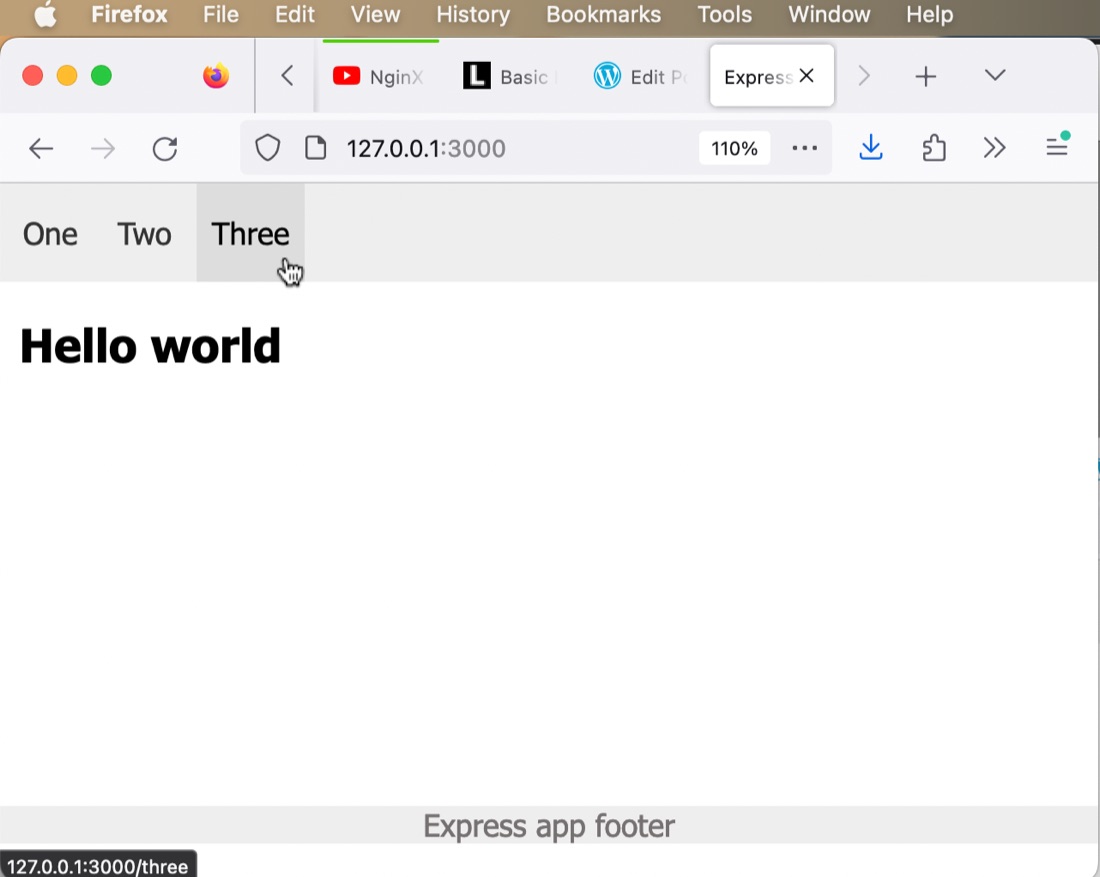
That’s my basic web app setup, but since this is an express app, and we’re using some EJS templating, there’s some other starter files I like to create. Let’s start with our pages. I’ll need an index and a 404 page, and my pages are all going to have a header section as well as a nav and a footer. Something like this:
─── views
    ├── 404.ejs
    ├── index.ejs
    └── partials
        ├── footer.ejs
        ├── head.ejs
        └── nav.ejs
To give you a flavour of how that all works, here’s a sample index.ejs
<!DOCTYPE html>
<html lang="en">
<%- include('./partials/head.ejs') %>
  <body>
    <%- include('./partials/nav.ejs') %>
      <div class="content">
        <h2>Hello world</h3>
      </div>
      <%- include('./partials/footer.ejs') %>
  </body>
</html>
Then we need some basic routing in server.js
const express = require('express');
const app = express();

const hostname = '127.0.0.1';
const port = 3000;

app.set('view engine', 'ejs');
app.use(express.static('public'));

app.get('/', (req, res) => {
    res.render('index', { title: 'Index'});
  });

//404 handling
app.use(function (req, res, next) {
  res.status(404).render('404', { title: '404', url: req.url });
});

app.listen(port, hostname, () => {
  console.log(`Server running at http://${hostname}:${port}/`);
});
And, lastly, a bit of CSS to make it beautiful.
@viewport {
    width: device-width ;
    zoom: 1.0 ;
}

body{
    max-width: 1200px;
    font-family: Tahoma, Arial, Helvetica, sans-serif;
    margin: 0;
}

nav {
    position: fixed;
    top: 0;
    width: 100%;
    overflow: hidden;
    background-color: #EEE;
}

nav li {
    display: inline-block;
    padding: 0;
}

nav a {
    display: inline;
    color: #333;
    text-align: center;
    padding: 17px 8px;
    text-decoration: none;
}

nav a:hover {
    background: #ddd;
    color: black;
}

nav ul {
    padding-inline-start: 4px;
}

/* push content down below the nav bar */
.content {
    padding: 50px 10px 10px 10px;
}

footer {
    width:100%;
    position:absolute;
    bottom:0;
    left:0;
    color: #757171;
    text-align: center;
    margin: 80px auto 20px;
    background-color: #EEE;
}
chefs_kiss.jpg